
Honest sitemap dates: fix lastmod with git history or a content hash
Most generators stamp every URL with the build time, and search engines learn to ignore it. Three small Node.js scripts to check and fix yours.
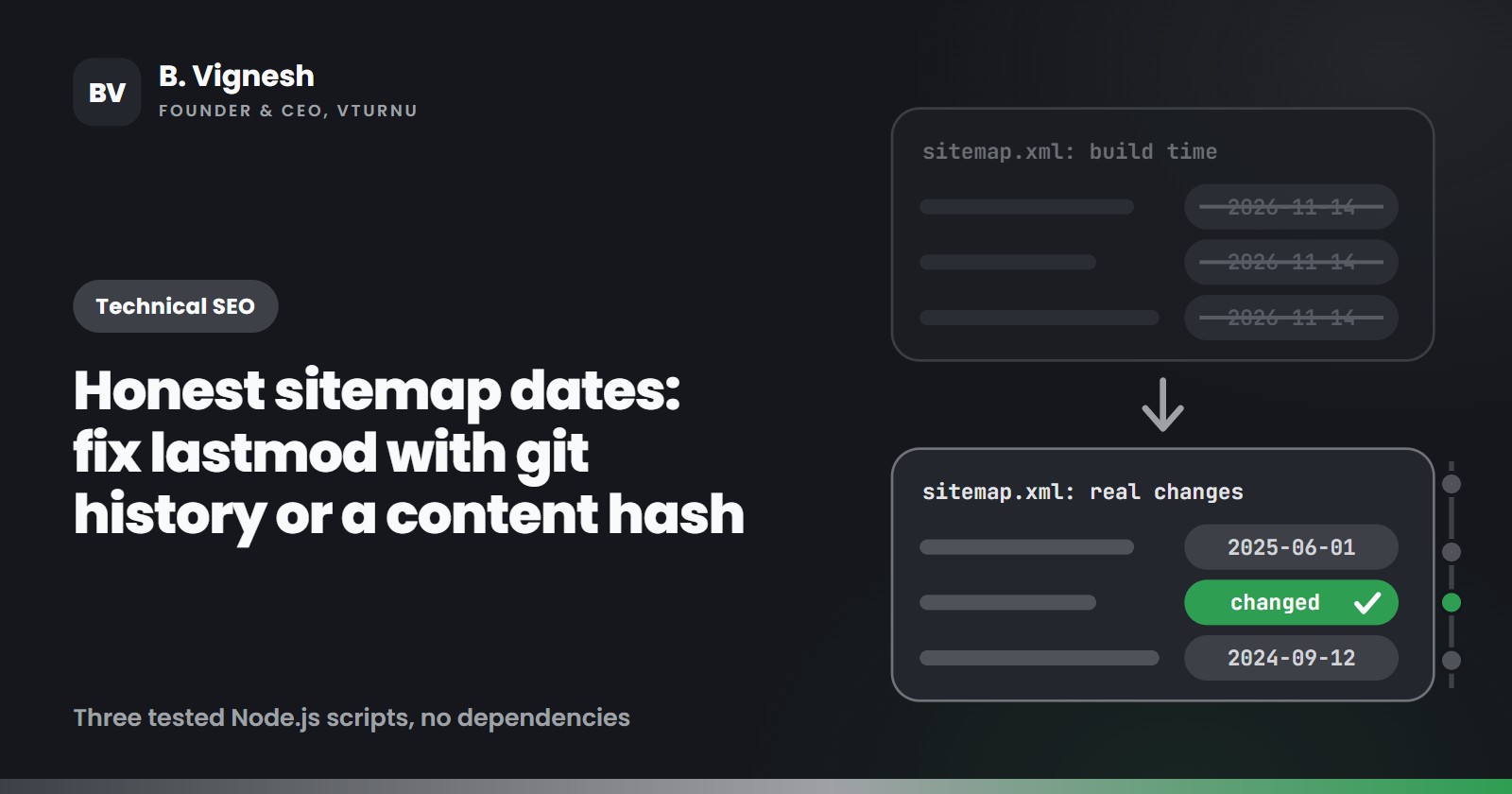
If your sitemap gives every URL the same lastmod, and that date happens to be the day of your last deploy, search engines have probably stopped listening to it. Google says it uses lastmod only when the value is consistently and verifiably accurate. Bing says the most common mistake it sees is exactly this one: every URL stamped with the date the sitemap was generated, instead of the date the page changed.
This post shows how to check your sitemap with one command, and two ways to make the dates honest: git history for sites built from Markdown files, and a content fingerprint for everything else. All three scripts are plain Node.js with no dependencies. I ran each one against test pages before writing this up.
Why lastmod is worth getting right
Search engines already know most of your URLs. The question they ask on every visit is which of those URLs changed since last time. lastmod is your answer.
- Google says it uses
lastmodas a signal for scheduling crawls of URLs it already knows, as long as the value matches reality. If a page changed years ago and the sitemap says yesterday, Google will eventually stop believing the dates. It ignoreschangefreqandprioritycompletely. - Bing looked at sitemaps in 2023 and found that 18% of the ones that set
lastmodset it wrongly, most often by giving every URL the same generation date. When the dates are always "today", Bing says it may disregard them. In 2025 it added thatlastmodis a key signal for deciding what to recrawl, which affects how quickly updates show up in its search results and in AI answers such as Copilot's. Bing ignoreschangefreqandprioritytoo.
So a correct lastmod helps crawlers spend their visits on the pages that changed. A wrong one gets ignored, and you lose that signal for every page on the site, including the ones you just updated.
Check your sitemap with one command
Save this as check-lastmod.mjs and point it at a sitemap URL or a local file. It reads sitemap index files too.
// check-lastmod.mjs
// Usage: node check-lastmod.mjs https://example.com/sitemap.xml
// node check-lastmod.mjs ./dist/sitemap.xml
import { readFile } from 'node:fs/promises';
// W3C Datetime, the format the sitemap protocol asks for.
const W3C = /^\d{4}(-\d{2}(-\d{2}(T\d{2}:\d{2}(:\d{2}(\.\d+)?)?(Z|[+-]\d{2}:\d{2}))?)?)?$/;
async function load(src) {
if (!/^https?:\/\//.test(src)) return readFile(src, 'utf8');
const res = await fetch(src);
if (!res.ok) throw new Error(`${src} answered ${res.status}`);
return res.text();
}
// Reads a sitemap, or a sitemap index and the sitemaps it lists.
async function collect(src, out = [], depth = 0) {
const xml = await load(src);
if (/<sitemapindex[\s>]/.test(xml)) {
if (depth > 0) return out;
for (const [, loc] of xml.matchAll(/<sitemap>[\s\S]*?<loc>\s*([^<\s]+)\s*<\/loc>/g)) {
await collect(loc.replace(/&/g, '&'), out, depth + 1);
}
return out;
}
for (const [, block] of xml.matchAll(/<url>([\s\S]*?)<\/url>/g)) {
const loc = block.match(/<loc>\s*([^<]+?)\s*<\/loc>/)?.[1];
const lastmod = block.match(/<lastmod>\s*([^<]+?)\s*<\/lastmod>/)?.[1] ?? null;
out.push({ loc, lastmod });
}
return out;
}
const urls = await collect(process.argv[2] ?? 'sitemap.xml');
const dated = urls.filter((u) => u.lastmod);
const invalid = dated.filter((u) => !W3C.test(u.lastmod));
const future = dated.filter((u) => Date.parse(u.lastmod) > Date.now() + 86_400_000);
// How many URLs share the most common day?
const perDay = new Map();
for (const { lastmod } of dated) {
const day = lastmod.slice(0, 10);
perDay.set(day, (perDay.get(day) ?? 0) + 1);
}
const [topDay = '-', topCount = 0] = [...perDay].sort((a, b) => b[1] - a[1])[0] ?? [];
const share = dated.length ? topCount / dated.length : 0;
const today = new Date().toISOString().slice(0, 10);
console.log(`URLs: ${urls.length}, with lastmod: ${dated.length}`);
console.log(`Most common day: ${topDay} (${(share * 100).toFixed(1)}% of dated URLs)`);
if (invalid.length) console.log(`Not W3C Datetime: ${invalid.length}, for example "${invalid[0].lastmod}"`);
if (future.length) console.log(`Dated in the future: ${future.length}, for example ${future[0].loc}`);
if (dated.length >= 20 && share >= 0.8) {
console.log(topDay === today
? 'Likely build time: most URLs claim they changed today.'
: 'Suspicious: most URLs share one date. Check how it is generated.');
}
Here is the output for a test sitemap of 40 URLs where the generator stamped the build date on every page, plus one date in the wrong format:
URLs: 40, with lastmod: 40
Most common day: 2026-11-14 (97.5% of dated URLs)
Not W3C Datetime: 1, for example "14/11/2026"
Likely build time: most URLs claim they changed today.
Treat the warning as a reason to look, not a verdict. If you launched 300 pages on the same day and never touched them, sharing a date is correct, and Bing says as much. What gives a sitemap away is a date that moves forward for every URL on every deploy.
Decide what counts as a change
Before fixing anything, agree on what a "change" is. Google's documentation is specific: the date should reflect the last significant update, meaning a change to the main content, the structured data or the links on the page. A new copyright year in the footer is not one.
| Change | Update lastmod? |
|---|---|
| Rewrote a section or added new information | Yes |
| Changed structured data (price, author, product details) | Yes |
| Added, removed or changed links in the content | Yes |
| New footer year, cookie banner or menu item | No |
| New CSS or JavaScript bundle, same words | No |
| Fixed a typo | Your call. Skipping it keeps the signal clean |
Both fixes below follow this table.
Fix 1: take the date from git
If each page comes from one content file (Markdown, MDX, a YAML or JSON entry), the last commit that touched that file is a good lastmod.
// git-lastmod.mjs
import { execFileSync } from 'node:child_process';

const git = (...args) => execFileSync('git', args, { encoding: 'utf8' }).trim();

// A shallow clone only knows the last commit, so every file would get its date.
if (git('rev-parse', '--is-shallow-repository') === 'true') {
  throw new Error('Shallow clone: fetch full history (fetch-depth: 0) before building the sitemap.');
}

// Date of the last commit that touched this file, following renames and
// skipping commits whose message contains [skip-lastmod].
export function gitLastmod(file) {
  const date = git(
    'log', '-1', '--follow', '--format=%cI',
    '--invert-grep', '--fixed-strings', '--grep=[skip-lastmod]',
    '--', file,
  );
  return date || null; // null for files git has never seen: leave lastmod out
}
Then, wherever your generator builds the sitemap entry:
import { gitLastmod } from './git-lastmod.mjs';

const lastmod = gitLastmod(`content/blog/${slug}.md`);
A few details that matter:
%cIgives the commit date in strict ISO 8601 with a time zone, which is valid W3C Datetime. Bing asks for date and time where you have it.--followkeeps the history when a file is renamed. A rename is still a commit, though, so the page gets the rename date. If nothing changed in the text, put[skip-lastmod]in that commit message.- The same tag works for typo fixes and formatting commits. In my test repo, a typo fix tagged this way left the page on its earlier date, as intended.
- A file git has never seen returns
null. Leavelastmodout for that URL instead of guessing. Google says it's fine to includelastmodonly for the pages you're confident about.
The CI trap. GitHub's actions/checkout fetches a single commit by default. In a shallow clone, every file looks like it last changed in the latest commit, which brings back the build-date problem through a side door. Fetch the full history:
- uses: actions/checkout@v7
  with:
    fetch-depth: 0
The script refuses to run in a shallow clone for this reason. Check your hosting platform's build settings too, since some of them clone with limited history.
Git dates have one limit: pages assembled from many sources, like a category page that lists posts or a page fed by a CMS or a database, don't map to one file. That's where the second fix comes in.
Fix 2: fingerprint the built page
This one works with any generator or CMS, because it looks at the output. After the build, it hashes only the parts of each page that count as a significant change: the text inside <main>, the links inside <main>, and the JSON-LD. It keeps a small manifest from the previous build. A URL gets a new date only when its hash changes.
// build-sitemap.mjs
// Usage: node build-sitemap.mjs <dist folder> <site origin>
// Example: node build-sitemap.mjs dist https://example.com
import { createHash } from 'node:crypto';
import { existsSync } from 'node:fs';
import { readFile, readdir, writeFile } from 'node:fs/promises';
import { join, relative, sep } from 'node:path';
const DIST = process.argv[2] ?? 'dist';
const SITE = process.argv[3] ?? 'https://example.com';
const MANIFEST = 'lastmod-manifest.json'; // keep it between builds: commit it or cache it
async function* htmlFiles(dir) {
for (const entry of await readdir(dir, { withFileTypes: true })) {
const path = join(dir, entry.name);
if (entry.isDirectory()) yield* htmlFiles(path);
else if (entry.name.endsWith('.html') && entry.name !== '404.html') yield path;
}
}
// dist/blog/post/index.html -> https://example.com/blog/post/
function urlFor(file) {
const path = '/' + relative(DIST, file).split(sep).join('/');
return new URL(path.replace(/index\.html$/, '').replace(/\.html$/, ''), SITE).href;
}
// JSON-LD without dateModified, so the date we write never changes the hash.
function structuredData(html) {
const drop = (v) => Array.isArray(v) ? v.map(drop)
: v && typeof v === 'object'
? Object.fromEntries(Object.entries(v).filter(([k]) => k !== 'dateModified').map(([k, x]) => [k, drop(x)]))
: v;
return [...html.matchAll(/<script[^>]*application\/ld\+json[^>]*>([\s\S]*?)<\/script>/gi)]
.map(([, json]) => { try { return drop(JSON.parse(json)); } catch { return json.trim(); } });
}
// What counts as a significant change: the main text, the links in it, structured data.
// Header, footer, sidebar, scripts and styles are left out on purpose.
function fingerprint(html) {
const main = html.match(/<main[\s\S]*?<\/main>/i)?.[0] ?? html;
const links = [...main.matchAll(/href\s*=\s*["']([^"']+)["']/gi)].map(([, href]) => href);
const text = main
.replace(/<(script|style|noscript)[\s\S]*?<\/\1>/gi, ' ')
.replace(/<[^>]+>/g, ' ')
.replace(/\s+/g, ' ')
.trim();
return createHash('sha256').update(JSON.stringify({ text, links, data: structuredData(html) })).digest('hex');
}
// Only indexable, self-canonical pages belong in a sitemap.
function belongsInSitemap(html, url) {
if (/<meta[^>]+name=["']robots["'][^>]+noindex/i.test(html)) return false;
const canonical = html.match(/<link[^>]+rel=["']canonical["'][^>]*>/i)?.[0].match(/href=["']([^"']+)["']/i)?.[1];
return !canonical || new URL(canonical, SITE).href === url;
}
const firstRun = !existsSync(MANIFEST);
const previous = firstRun ? {} : JSON.parse(await readFile(MANIFEST, 'utf8'));
const now = new Date().toISOString().replace(/\.\d{3}Z$/, 'Z');
const next = {};
for await (const file of htmlFiles(DIST)) {
const html = await readFile(file, 'utf8');
const url = urlFor(file);
if (!belongsInSitemap(html, url)) continue;
const hash = fingerprint(html);
const before = previous[url];
if (before && before.hash === hash) next[url] = before; // unchanged: keep the old date
else if (before) next[url] = { hash, lastmod: now }; // real change
else next[url] = { hash, lastmod: firstRun ? null : now }; // new page, or no history yet
}
const esc = (s) => s.replace(/&/g, '&').replace(/</g, '<').replace(/>/g, '>');
const entries = Object.entries(next).sort(([a], [b]) => a.localeCompare(b)).map(([loc, { lastmod }]) =>
` <url>\n <loc>${esc(loc)}</loc>\n${lastmod ? ` <lastmod>${lastmod}</lastmod>\n` : ''} </url>`);
await writeFile(join(DIST, 'sitemap.xml'),
`<?xml version="1.0" encoding="UTF-8"?>\n<urlset xmlns="http://www.sitemaps.org/schemas/sitemap/0.9">\n${entries.join('\n')}\n</urlset>\n`);
await writeFile(MANIFEST, JSON.stringify(next, null, 2) + '\n');
console.log(`${entries.length} URLs written${firstRun ? ' (first run: no lastmod until a page changes)' : ''}`);
How it behaved in my tests, build after build:
- A new footer year on one page: same date as before.
- A new
dateModifiedin the JSON-LD and nothing else: same date. The script stripsdateModifiedbefore hashing, otherwise the date you write would change the hash on every build. - A rewritten paragraph: new date for that page only.
- A changed headline in the structured data: new date.
- A new page: dated on the first build where it appears.
- Pages marked
noindex, the 404 page and a print version whose canonical pointed elsewhere: left out, because a sitemap should list only canonical, indexable URLs.
Two things to plan for:
- The first run. With no manifest there is no history, so the script writes no dates at all. That is deliberate: no date is better than a made-up one. From the next build on, every real change gets a timestamp.
- Keeping the manifest. Commit
lastmod-manifest.json, or store it in your CI cache. If it ever gets lost, you fall back to the first-run state (no dates), not to wrong dates.
The regular expressions are fine for HTML your own build produces. If your markup is messy or comes from many hands, swap in a real HTML parser for the <main> extraction.
Keep your other dates in step
Your sitemap is not the only place a page states its age. If you show "Updated on" in the page and set dateModified in your structured data, take all three from the same value. Google's documentation talks about checking lastmod against the page itself, so a sitemap that says one thing while the page says another is a fast way to lose trust in both.
The same goes for refreshing dates to look fresh. Changing the date without changing the page is exactly the pattern both search engines say they learn to ignore.
The ping is gone, so how do engines find out?
Google retired the sitemap ping endpoint in 2023, and requests to it now return a 404. Reference your sitemap in robots.txt with a Sitemap: line and submit it in Search Console. Bing reads sitemaps from robots.txt or Bing Webmaster Tools and says it typically rechecks them at least once a day. For changes you want noticed right away, Bing recommends IndexNow, which other participating search engines use too.
Search engines will keep rereading your sitemap either way. An honest lastmod is what makes each reread useful.
A short checklist
- Run
check-lastmod.mjson your live sitemap. - Write down what counts as a significant change on your site.
- Use git dates for pages that come from one file, and the fingerprint for the rest.
- Fetch full git history in CI.
- Drop
changefreqandpriorityif you like. Google and Bing both ignore them. - Use one date for the sitemap, the visible "Updated" line and
dateModified.
I'm B. Vignesh, Founder & CEO of VTurnU, a B2B digital marketing and web development company. I write about the technical details that decide whether search engines and AI assistants can find a website. This post was written with the help of AI tools; every script in it was run and tested on Node.js 24 before publishing.
About the author
- I’m B. Vignesh, Founder & CEO of VTurnU, a B2B digital marketing and web development company based in Chennai, India. My career in digital marketing began in 2017. I started VTurnU in 2020, during the COVID-19 pandemic, and incorporated it in 2025. Today I lead our work on search, AI search visibility, paid media, social media and websites that turn visits into qualified enquiries, for businesses across industries worldwide.
Comments
Join the discussionNo comments yet. Be the first to comment.